

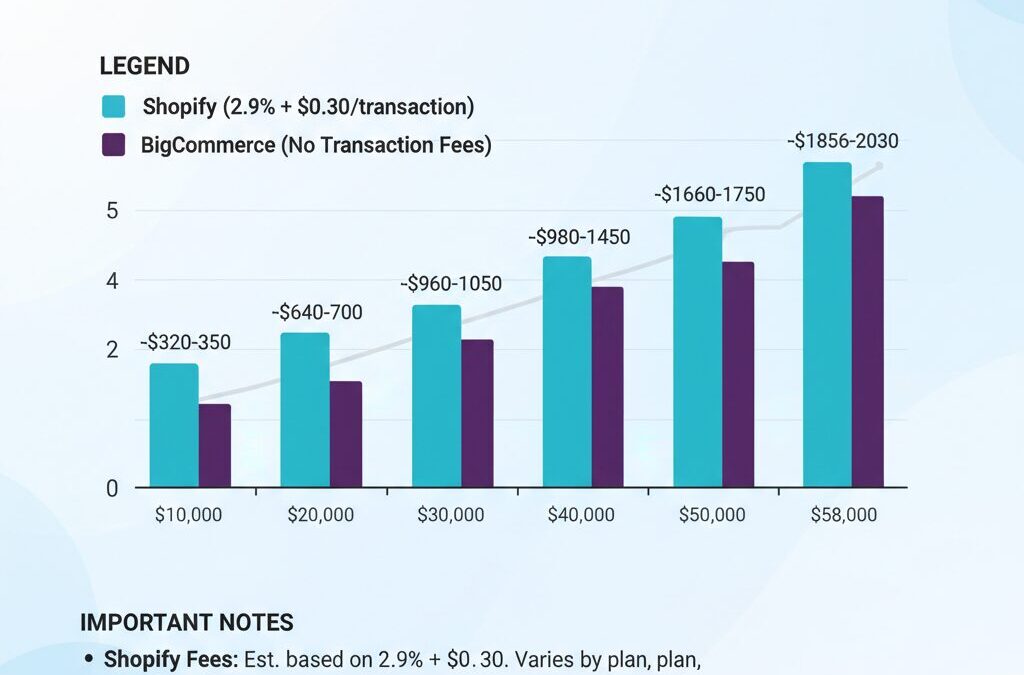
Why Smart Merchants Are Leaving Shopify in 2026
Shopify’s transaction fees, app dependencies, and rigid architecture are pushing profitable merchants toward alternatives. If you’re paying 2% transaction fees on $500K annual revenue, that’s $10K annually—money that could fund better infrastructure elsewhere. The platforms emerging in 2026 offer native features Shopify charges extra for, no transaction fees on higher tiers, and the flexibility to scale without vendor lock-in.
This playbook walks you through evaluating your pain points, selecting the right platform for your revenue tier, and executing a migration with minimal downtime and SEO impact.
Step 1: Diagnose Your Shopify Pain Points
Before migrating, identify what’s actually driving your decision. Common friction points include:
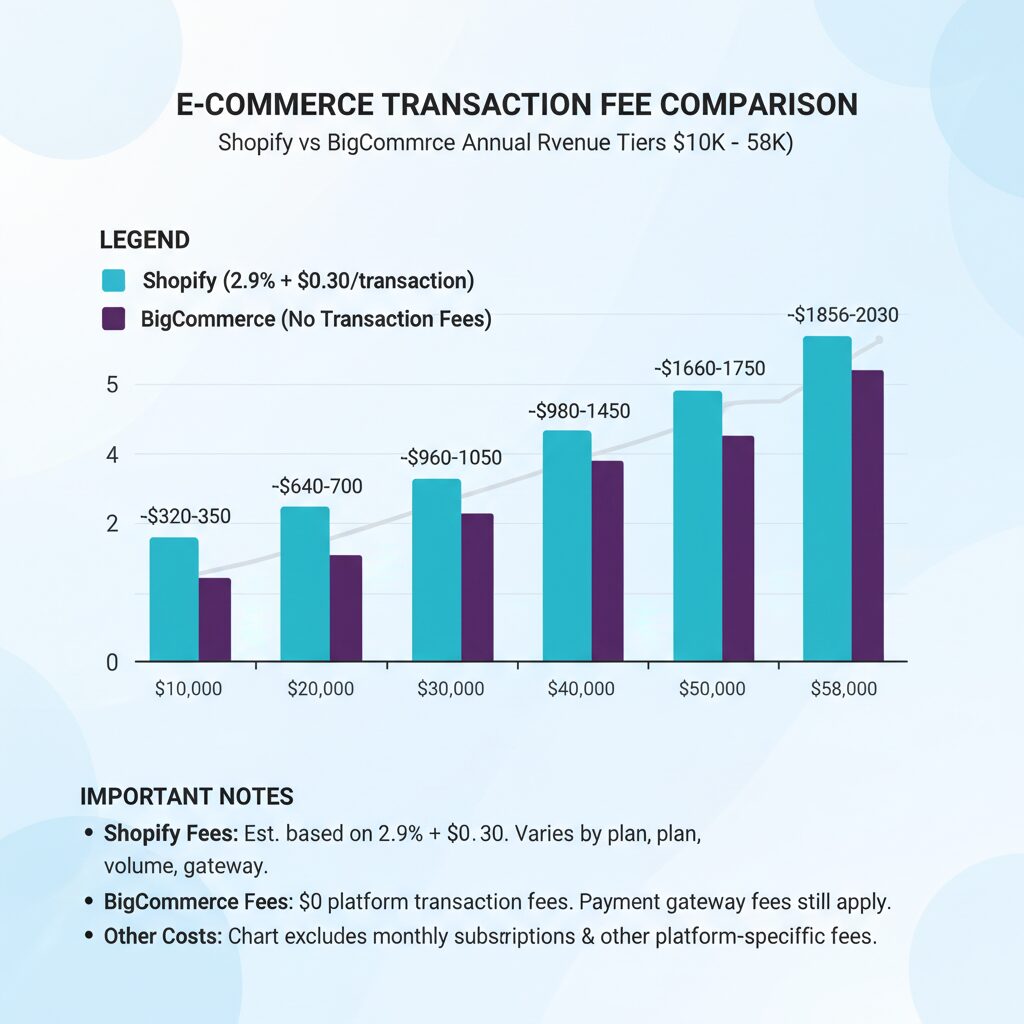
Transaction Fees: Shopify charges 2.9% + 30¢ per transaction on standard plans. At $1M revenue, that’s roughly $29K annually. BigCommerce charges zero transaction fees across all plans, making it an immediate win for high-volume stores.
App Bloat: Essential features—advanced SEO, inventory sync, subscription management—require paid apps costing $50-$300/month combined. WooCommerce and Magento include these natively.
Performance Constraints: Shopify’s theme system limits customization without hiring developers. Headless platforms like Swell and CommerceTools separate backend from frontend, enabling custom experiences across web, mobile, and voice channels.
Data Ownership: Shopify owns your customer data architecture. WooCommerce, PrestaShop, and Magento give you full data control and portability.
Revenue-Tier Strategy: Picking Your Platform
Tier 1: Under $250K Annual Revenue (Micro-Stores)
For bootstrapped sellers and creators, simplicity beats features. Wix eCommerce is your best fit. It combines drag-and-drop design, built-in hosting, and basic product management without the learning curve of open-source platforms. Setup takes hours, not weeks. Pricing: $27-$45/month with eCommerce capabilities. Built-in SEO tools and marketing automation reduce your app spend versus Shopify.
Alternative: Squarespace Commerce for fashion, photography, or lifestyle brands where aesthetics drive conversions. Pricing: $33-$99/month. Both platforms handle under 100 products efficiently.
Tier 2: $250K-$2M Annual Revenue (Growing Brands)
This is where BigCommerce dominates. It’s built for merchants scaling beyond Shopify’s sweet spot. Key advantages:
• Zero transaction fees (saves $7.25K-$58K annually at this revenue tier)
• Native multi-storefront support (sell on multiple domains from one dashboard)
• Built-in B2B tools and customer groups
• Strong API for custom integrations without expensive apps
• Pricing: $29.95-$299.95/month depending on features
BigCommerce’s theme ecosystem is smaller than Shopify’s, but that forces better design decisions. For content-heavy stores, WooCommerce is equally viable. It’s free software running on WordPress, giving you SEO control and content integration Shopify can’t match. Hosting costs $10-$50/month via providers like SiteGround or Kinsta. You’ll need a developer for advanced customization, but total cost remains 40-60% lower than Shopify’s equivalent setup.
Tier 3: $2M+ Annual Revenue (Enterprise Operations)
Magento (Adobe Commerce) is the enterprise standard for complex operations. It handles 5,000+ SKUs, dynamic pricing rules, and B2B workflows Shopify can’t support natively. Pricing starts at $22K/year for cloud hosting, but ROI is immediate for stores managing multiple brands, regional pricing, or wholesale channels. Requires a dedicated development team.
Headless Alternative: CommerceTools delivers enterprise-grade headless commerce with microservices architecture. It powers Asos, Carrefour, and other global brands. Pricing is custom-quoted but typically $5K-$15K/month for enterprise deployments. The payoff: 40% faster page load times and the ability to sell across 10+ channels simultaneously.
The Migration Execution Plan
Phase 1: Audit and Backup (Week 1-2)
Export everything from Shopify: products (with images, variants, and descriptions), customers, orders, and email subscribers. Use CSV exports or third-party tools like Klaviyo (for email) and Shopify’s native export features. Document your current setup: active apps, custom code in theme files, and integrations (accounting software, shipping providers, payment gateways).
Identify high-risk areas: subscriptions (requires migration tool support), abandoned cart emails (set up in new platform before launch), and customer accounts (some platforms auto-migrate, others require manual import).

Phase 2: Platform Setup and Testing (Week 3-6)
Launch your new platform in a staging environment. Migrate products first—this is your biggest dataset. Most platforms (BigCommerce, WooCommerce, Magento) include Shopify migration tools that handle 70-80% of the work automatically. Manual cleanup for custom fields and bulk edits takes 1-2 weeks.
Recreate critical pages: homepage, collection pages, and checkout flow. Test payment processing with your chosen gateway (Stripe, Square, PayPal). Verify tax calculations, shipping integrations, and inventory sync.
Phase 3: SEO Preservation (Week 4-6, Parallel)
SEO migration is non-negotiable—losing rankings costs more than platform fees. Steps:
1. Map old URLs to new ones (301 redirects)
2. Update XML sitemaps and submit to Google Search Console
3. Ensure meta titles, descriptions, and structured data migrate correctly
4. Test crawlability with tools like Screaming Frog
5. Monitor Google Analytics for traffic drops post-launch
WooCommerce and Magento excel here because you control the URL structure. BigCommerce’s migration tools preserve URLs automatically if you plan correctly.
Phase 4: Go-Live and Monitoring (Week 7)
Switch DNS and domain pointing during low-traffic hours (Tuesday-Thursday, 2-4 AM). Keep Shopify live for 48 hours as a backup. Monitor:
• Checkout completion rates (compare to baseline)
• Page load times (use GTmetrix or Lighthouse)
• Customer support inquiries (have team ready)
• Payment processing (reconcile transactions daily)
Hidden Costs to Budget For
Platform fees are transparent, but migration costs aren’t. Budget:
• Developer time: $2K-$10K (theme customization, integrations)
• Email marketing re-setup: $500-$2K (Klaviyo, Omnisend)
• Payment gateway fees: 2.2-2.9% (unavoidable, but shop rates)
• Downtime insurance: 1-2 days of lost revenue (minimize with planning)
The Numbers: Is Migration Worth It?
For a $1M revenue store paying Shopify’s $299/month plan plus $29K in transaction fees plus $300/month in apps, total annual cost is $32,588. Switching to BigCommerce ($299/month, zero transaction fees, fewer apps) costs $3,588 annually—a $29K saving. Even accounting for $5K migration costs, you break even in 2 months.
For smaller stores under $250K revenue, the math is tighter. Wix at $35/month ($420/year) versus Shopify at $29/month ($348/year) is negligible. The decision hinges on feature needs and growth trajectory.
What’s Next: Execute This Week
Start with a 30-minute audit: list your current apps, monthly costs, and pain points. Cross-reference against our platform recommendations. Request demos from your top 2 choices—BigCommerce, WooCommerce, and Magento all offer free trials. Talk to their migration teams; they’ve moved thousands of stores and catch gotchas you’ll miss.
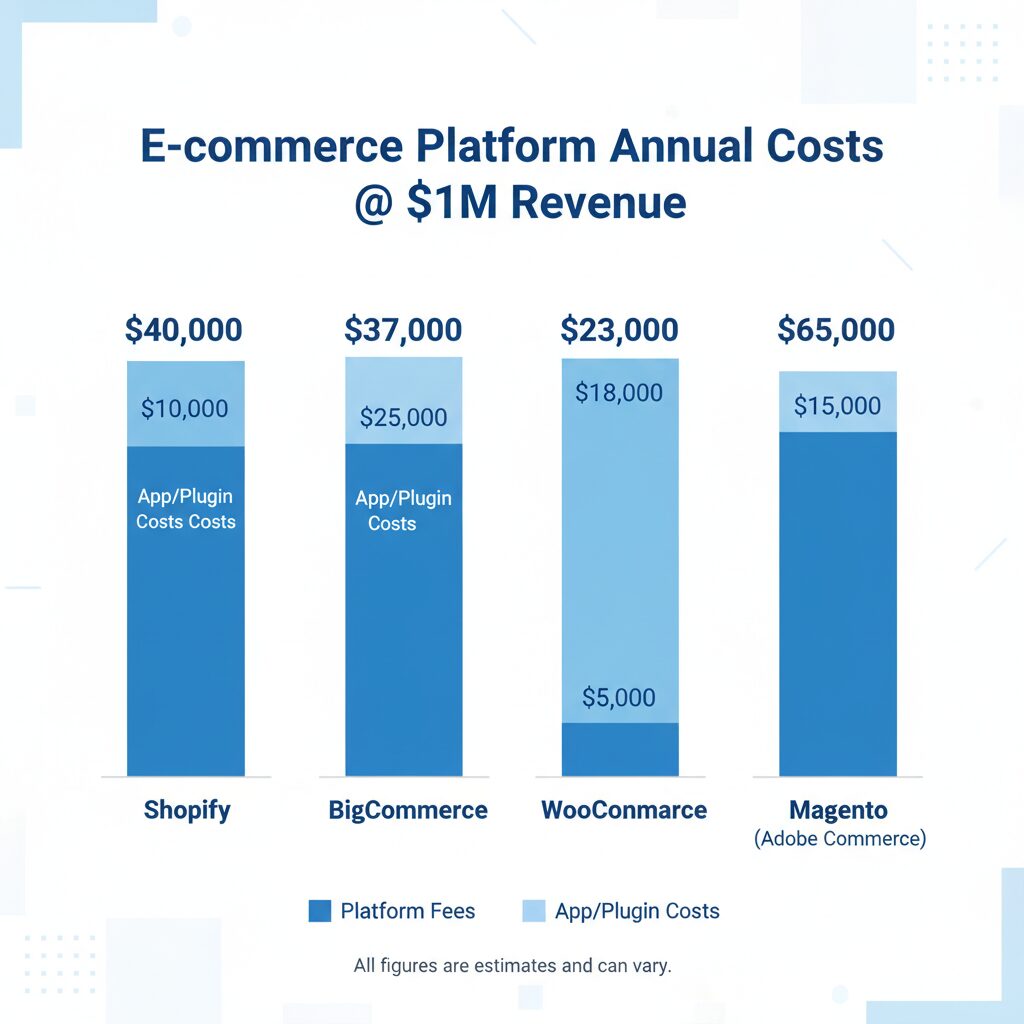
The merchants who migrate successfully don’t do it impulsively. They plan, test, and execute methodically. Follow this playbook, and you’ll join the growing cohort saving 20-60% on platform costs while gaining the flexibility Shopify’s rigid architecture prevents.

Unlock Full Article
Watch a quick video to get instant access.

Social Media