

Why Most Streamers Buy the Wrong Capture Card (And How to Avoid That Mistake)
You’ve decided to start streaming your console gameplay. You search “best capture card,” find a list, pick one based on price or brand name, and hit buy. Three weeks later, you realize your $300 card can’t actually deliver the 4K60 HDR passthrough you need, or your stream keeps stuttering because you didn’t understand the difference between capture and passthrough specs.
This happens to most streamers because capture card marketing is deliberately confusing. Manufacturers throw around terms like “4K60,” “VRR,” “HDR10,” and “120fps passthrough” without explaining what you actually need for your specific console and streaming setup. The result? Buyers end up with cards that don’t match their hardware, wasting money and causing frustration.
The good news: Modern capture cards have become incredibly capable. The bad news: You need to understand five key specs to buy the right one. Master these specs, and you’ll make a purchase you won’t regret for the next 3-5 years.

The Five Specs That Actually Matter for Console Streaming
1. 4K60 Capture vs. 4K60 Passthrough (They’re Not the Same)
This is the #1 confusion point. Here’s the critical difference:
Capture = the resolution and frame rate your card records to your hard drive or streams to Twitch. Passthrough = the resolution and frame rate your card sends to your monitor while you’re gaming.
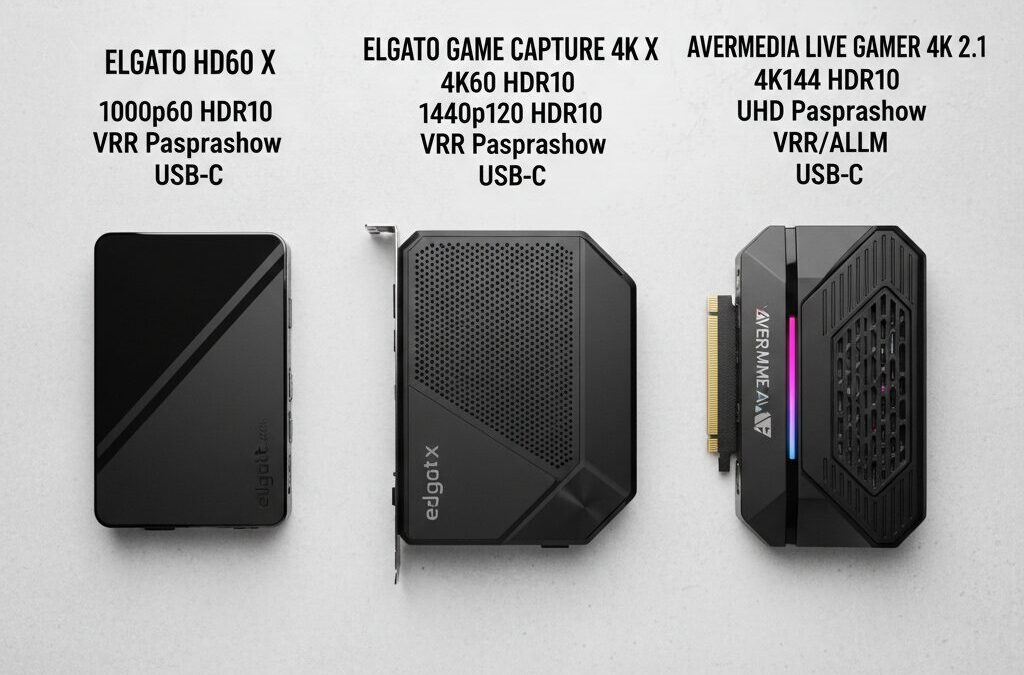
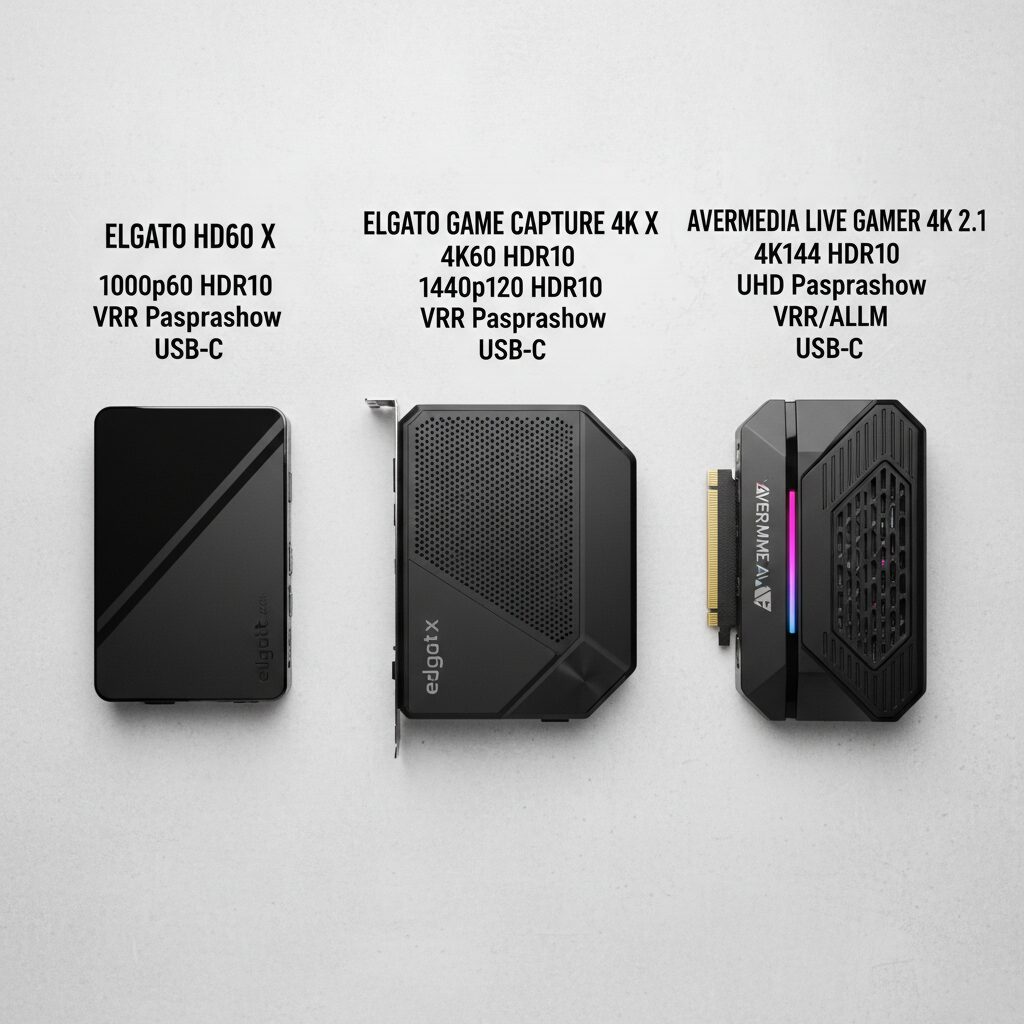
Why does this matter? Because you want zero input lag while playing, but you also want high-quality recordings. The Elgato HD60 X ($199.99) solves this elegantly: it captures 1080p at 60fps or 4K at 30fps, but passes through 4K at 60fps to your monitor. This means your gameplay feels responsive on your TV, while you’re still recording solid footage for your stream.
By contrast, the Elgato Game Capture 4K X ($349) pushes further: it captures 4K at 120fps (stunning recording quality) while passing through 4K at 144fps. If you have a high-refresh-rate monitor and want the absolute best quality, this is the spec that justifies the price premium.
2. HDR10 Support (Especially for PS5 Owners)
HDR (High Dynamic Range) makes colors pop and shadows look deeper. PS5 games look dramatically better in HDR. The problem? Many older capture cards strip HDR out completely, turning your vibrant gameplay into flat, dull footage.
The Elgato HD60 X supports 10-bit HDR on both capture and passthrough, meaning your recordings preserve the visual richness of your PS5 games. The AVerMedia Live Gamer 4K 2.1 ($299) also delivers “excellent, no-compromise 4K60 HDR game capture,” making it a strong alternative if you prefer AVerMedia’s ecosystem.
If you’re streaming PS5 or Xbox Series X, HDR10 support should be non-negotiable. It’s the difference between footage that looks professional and footage that looks dated.
3. VRR (Variable Refresh Rate) Passthrough
VRR is a technology that eliminates screen tearing in fast-paced games. If you’re streaming shooters, racing games, or fighting games, your console is probably using VRR. The problem: many capture cards break VRR passthrough, causing your monitor to show tearing even though your console is outputting smooth gameplay.
The Elgato HD60 X is the first mainstream capture card to offer VRR support for passthrough. This means your monitor shows the same smooth, tear-free gameplay your console is producing, while your viewers get high-quality footage. For competitive gamers, this is a game-changer—you won’t sacrifice responsiveness to stream.
4. ALLM (Auto Low Latency Mode)
ALLM automatically reduces input lag when you’re gaming. Most modern TVs and monitors support it, but your capture card needs to pass it through without interference. The Elgato Game Capture 4K X includes ALLM support, ensuring that even with a capture card in your signal chain, your console can still optimize for low-latency gaming.
This matters less if you’re using a dedicated gaming monitor (which already has low latency), but it’s essential if you’re streaming from a living room setup with a TV.
5. High-Refresh Passthrough (120Hz, 144Hz)
Next-gen consoles like PS5 Pro and Xbox Series X support 120fps gaming. If you have a monitor that can display 120Hz or higher, you want a capture card that passes through that full bandwidth without downconverting to 60Hz.

The Elgato Game Capture 4K X passes through 4K at 144fps, and the Elgato 4K Pro ($449) offers 8K60 passthrough with PCIe 2.0 x4 speeds. These cards ensure you’re not bottlenecking your hardware.
Which Capture Card Should You Actually Buy?
For PS5 and Xbox Series X Streamers (Best Overall Value)
The Elgato HD60 X remains the consensus best choice. At $199.99, it delivers:
• 4K60 passthrough with VRR support (no screen tearing)
• 10-bit HDR on capture and passthrough
• 1080p60 or 1440p60 capture (great quality for streaming)
• Plug-and-play setup with zero driver hassle
• Compact design that doesn’t clutter your setup
Testing confirms it works flawlessly with PS5 and Xbox Series X. Most streamers won’t notice any input delay, even in competitive games. For the price, it’s hard to beat.
For Streamers Who Want 4K Recording (Best Quality)
The Elgato Game Capture 4K X ($349) captures 4K at 120fps—meaning your recordings look cinema-quality. It also passes through 4K at 144fps, making it future-proof for high-refresh displays. If recording quality is your priority and you have the budget, this is the upgrade.
For Budget-Conscious Streamers
The AVerMedia Live Gamer 4K 2.1 ($299) is a PCIe internal card that delivers 4K60 HDR capture without breaking the bank. It’s driverless and compact, making installation straightforward. The trade-off: you need an available PCIe slot, and it’s less portable than USB-based cards.
For Handheld and On-the-Go Streaming
The AVerMedia X’Tra Go Capture Dock GC515 is revolutionary: it records directly to microSD card without requiring a PC. Press a button, and it captures 4K30 or 1080p120 gameplay from your Steam Deck, Switch 2, or ROG Ally. Perfect for content creators who travel or want simplicity.
The Spec Checklist: Before You Buy
Before purchasing, ask yourself:
1. Do I need 4K capture, or is 1080p60 enough? (1080p60 is broadcast-quality and easier to stream)
2. Does my monitor support high refresh rates? (If yes, prioritize high-refresh passthrough)
3. Am I streaming PS5 or Xbox Series X? (If yes, HDR10 is essential)
4. Do I play competitive games where VRR matters? (If yes, get VRR passthrough)
5. Do I want portability or maximum quality? (USB cards are portable; PCIe cards are more powerful)
Answer these five questions, and you’ll narrow down your options instantly.
Why This Matters in 2026
Capture card technology has matured. The difference between a $200 card and a $500 card isn’t massive anymore—it’s refinement. The Elgato HD60 X proves you can get professional-grade specs at an accessible price. The real value now comes from understanding your specific needs and matching them to the right specs.
Don’t let marketing buzzwords confuse you. Understand 4K capture vs. passthrough. Prioritize HDR10 for modern consoles. Check for VRR support if you play competitive games. And if you stream regularly, invest in a card with proven reliability—the $200 you save by buying the wrong card will cost you in frustration and wasted content.

Your Next Step
Pick one of the five specs above that matters most for your setup. Then choose the capture card that excels in that spec. You’ll make a confident purchase and start streaming with professional-quality footage within days.

Unlock Full Article
Watch a quick video to get instant access.

Social Media